Doov R77 Review
This review was originally written in Portuguese. Read the original version.
What is it?
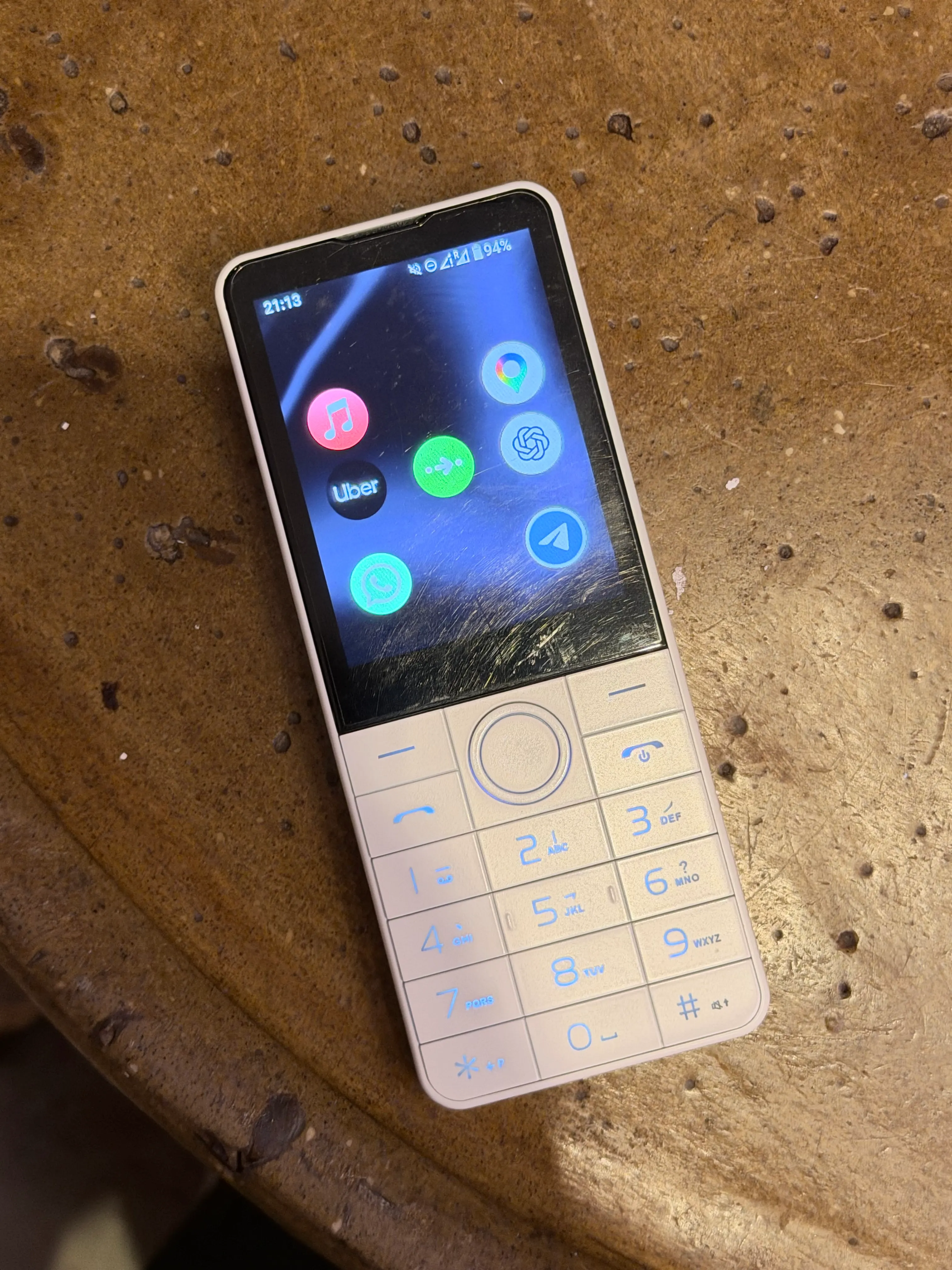
The Doov R77 is, in theory, just another Android smartphone. What sets it apart is its form factor: with a 2.8-inch screen and a numeric keypad, it looks very different from what we think of as a smartphone today.
The idea is to offer a simpler device that leaves less room for social media and browsing, without completely disconnecting you from today’s app-dependent world.
It’s a category that’s hard to even name. Although this kind of “light” smartphone is common in communities like r/dumbphones on Reddit, there’s some debate over whether an Android device can really be considered “dumb”. (An Android distribution made for devices like this was actually called Dumbroid, but after a cease-and-desist notice from Google, it had to change its name to DumberOS.)
Personally, I didn’t buy the R77 to reduce my screen time. It was part of my safety plan for a longer trip to Brazil: I wanted a secondary phone I could feel more comfortable using while walking around, without giving up messaging, maps, or transport apps.
Hardware
The Doov R77 has modest specs for a smartphone, but fairly impressive ones for a “dumbphone”: a MediaTek MT6762 processor, 3 GB of RAM, and 32 GB of storage.
It measures 133.2 × 54.2 × 9.5 mm and weighs 113 g, including the battery.
The 2.8-inch screen has a resolution of 640 × 480 pixels and uses an IPS LCD panel with capacitive touch — without the viewing-angle issues common on simpler devices.
Connectivity includes GPS, Wi-Fi, Bluetooth, and 4G, with support for bands 1, 3, 5, 7, 8, 28, 38, 39, and 41. I tested mobile connectivity with Vivo SIM cards in Brazil and DIGI in Portugal. Given the phone’s slightly retro look, I did miss having a 3.5 mm headphone jack.
It supports either two SIM cards or one SIM and a microSD card.
Cameras are a little more complicated. There are two versions, the R77 and the R77 Pro. When I bought mine, I kept comparing the specs, assuming the Pro would have more RAM or a different processor — and missed the fact that the only difference is the lack of cameras on the base model. The R77 Pro has a 2 MP front camera and a 5 MP rear camera. I was hoping to have at least one camera for scanning QR codes, but ended up with none.
I paid €63.90 for the phone, and the build quality is what you’d expect at that price: the body is entirely plastic, including the screen surface, which gets badly scratched quite quickly. That’s understandable enough, but I can’t quite forgive the strange USB-C implementation. When the phone arrived, I plugged it into a charger I already had and nothing happened… I thought it was faulty. Reading Reddit (this thread, I think), I found out I needed a USB-A to USB-C cable because it doesn’t work with USB-PD chargers. With that type of cable, though, both ADB and file access worked normally.
The keys feel firm and are big enough to avoid pressing the wrong number. Oddly, there are no volume buttons: you have to do that entirely through the phone’s interface.
I think my only serious complaint about the keypad is its uneven backlighting: The keys closer to the edges are harder to see in the dark.
Performance isn’t the focus here, but for comparison, it scored 170 in single-core and 727 in multi-core on Geekbench 7 (link), achieved a very similar result on Geekbench 6 (link), and had a GPU score barely above zero (link).
Software
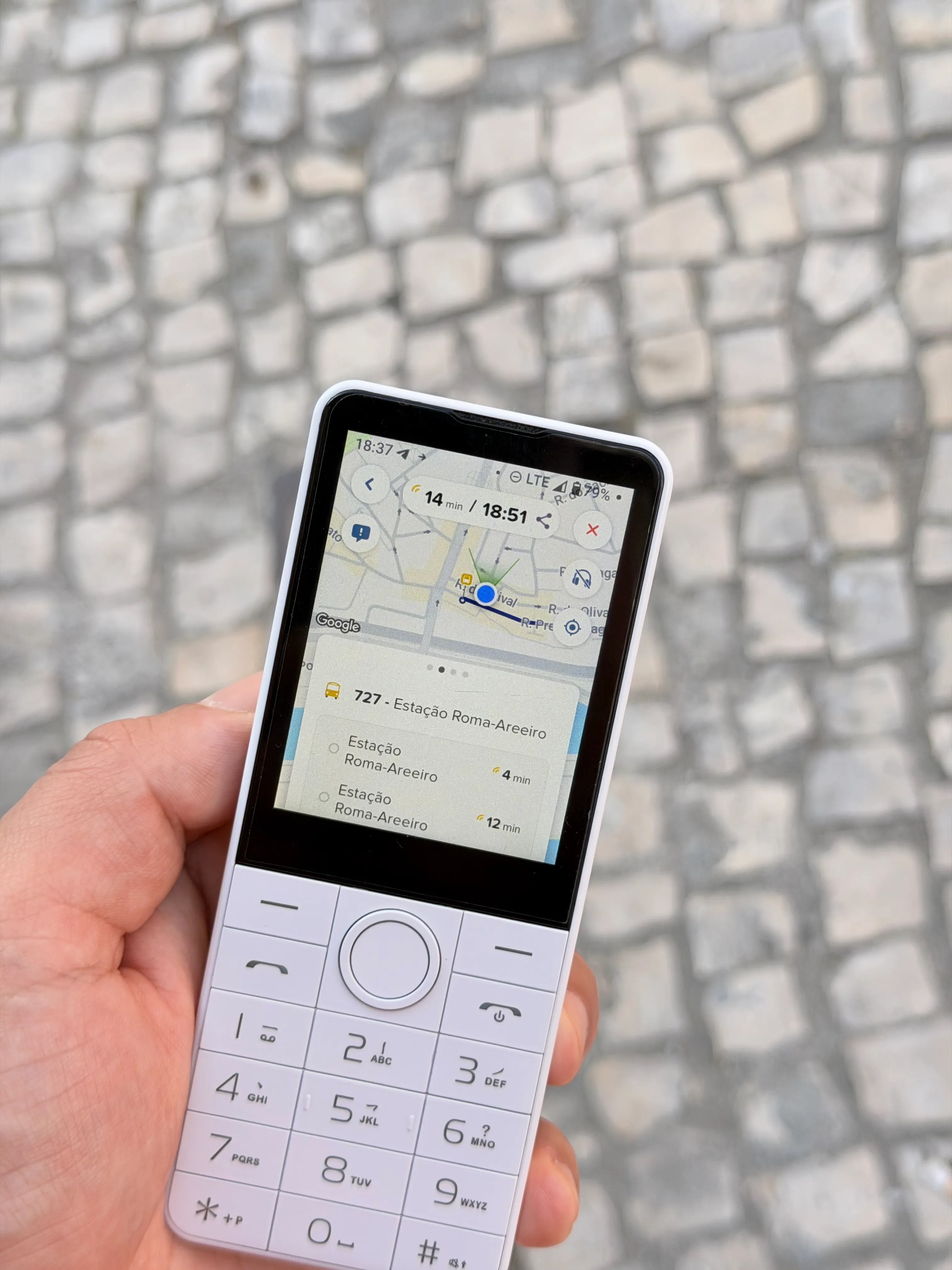
From the listings I saw, the Doov R77 can ship with Android 13 or 14. Mine arrived with Android 14 on an unfamiliar ROM, with a few customizations for the phone’s form factor.
I didn’t have much confidence in the preinstalled ROM, so I looked for an alternative. That’s how I found DumberOS, an open-source ROM made for this type of device. Installation is straightforward, and after the initial installation through a computer, every subsequent update could be installed directly on the phone without any trouble.
I chose to keep the version with Google Play for compatibility with as many apps as possible, but you can also use Aurora Store instead of the Play Store and microG in place of Google services.
Most of the apps I needed worked better than I expected, both in responsiveness and in how well their layouts adapted to the tiny screen. The weak point was usually navigation with the physical keys: WhatsApp let me move through conversations with the directional pad; Telegram didn’t.
Banking apps were an exception. With Nubank and C6 Bank, I got stuck at biometric verification, which requires taking a photo — impossible on the camera-free R77. Revolut wouldn’t even open because of the unlocked bootloader or custom ROM.
Google apps generally work very well using just the keypad. I often found myself preferring the touchscreen for certain actions, but that didn’t feel like a problem, considering the alternative would often involve scrolling through the entire screen to reach the option I wanted.
One curious thing: I initially installed Google Maps “for Android Go”, hoping for a lighter app. Besides being quite slow (I later realized it was a web app) it was almost impossible to navigate with the keypad. I installed the native app and was surprised by how much faster and easier it was to use.
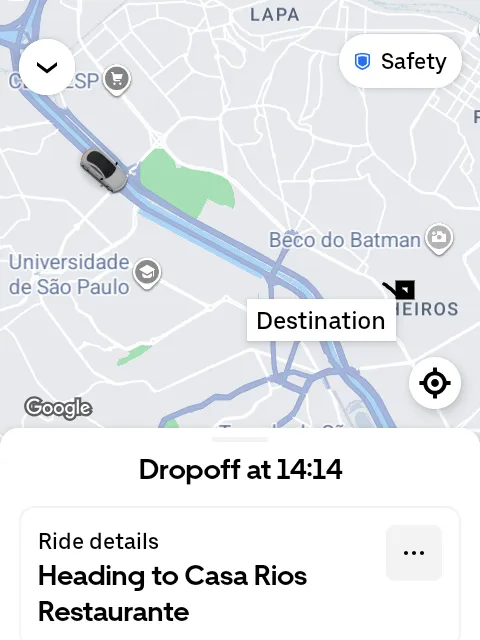
Some apps have funny quirks, but they’re almost always cosmetic. Uber, for example, doesn’t update the car’s position along the route during a trip: you can see the route line getting shorter as the trip progresses, but the car icon stays in its original position.
DumberOS comes with a pretty user-friendly T9 keyboard that worked well in every app. It supports multiple languages, but you have to switch between them manually — typing a word like “delivery” in a Portuguese sentence, for example, becomes quite difficult. For some sentences, I ended up turning predictive text off.
Typing passwords with lots of special characters is also tricky. You can customize the special characters assigned to each key, but when setting up an account, it’s sometimes easier to enable the on-screen alphanumeric keyboard and put up with typing in such a tiny space.
One interesting customization is the phone’s notification menu and “control center”. Pressing the left soft key brings up notifications in a simpler, more readable interface than stock Android; pressing it again opens a menu with various settings, including an easy way to disable mobile data or the touchscreen.
Web browsing is a poor experience… less because of the screen size than because of how the browser handles any heavier JavaScript, which means much of the web these days. The best solution I found for quick questions was the ChatGPT app, which works well on the phone. Looking up something specific — finding a shop that wasn’t showing up on Google Maps, for example — works much better than struggling with slow page rendering.
As a secondary phone, most apps behaved well. WhatsApp now lets you link it to a primary phone, which solved the problem of switching accounts between devices. Telegram has always supported multiple devices and works well.
Uber, in particular, worked very well across several devices at once: I could request a ride on the iPhone and receive the notification on the R77, or request it on the little phone and get updates on my Apple Watch. It sounds simple, but keeping multiple devices on the same account with synchronized notifications is somewhat complicated, and doesn’t always work well.
The 99 app, on the other hand, simply won’t let you use the same account on more than one device: logging in on the R77 logs me out on the iPhone, and vice versa.
After returning from São Paulo, I installed more apps on the R77 to get a sense of how it would fare as someone’s only phone.
TikTok is practically unusable: every video stutters constantly, and the app often freezes completely. Instagram is a little more viable, but oddly enough, it was the only app where I had layout issues: there’s a white bar about 32 pixels tall at the bottom, which takes up a noticeable amount of space on such a small screen. Still, it works for replying to DMs, at least.
Apple Music and Spotify both work well, but Spotify is harder to use with the keypad and relies more on the touchscreen.
Battery
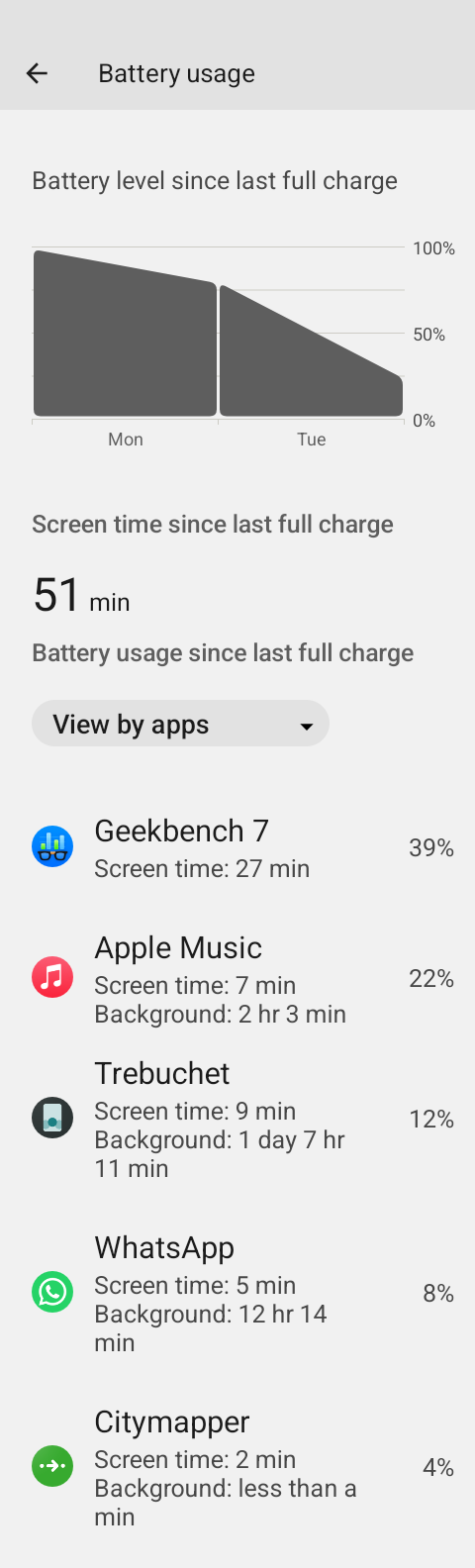
The R77 has a 2,100 mAh battery, which initially made me worry about battery life. It’s not a lot of capacity, and the older processor isn’t particularly efficient either.
But I was wrong.
I think it was partly down to the small, simple screen, but also to how I used the phone: the battery almost always lasted more than two days. That was with 4G mobile data always on, WhatsApp and Telegram constantly syncing, and occasional use of maps or transport apps.
It actually became a problem, because I often forgot to charge it precisely because it lasted so long.
The only time I really saw the battery drain quickly was when my data plan expired and the phone couldn’t connect to anything: it died in about six hours.
Even with heavier use, streaming music over mobile data and frequently using GPS in Citymapper, the battery still comfortably lasted more than two days.
Does it make sense?
The Doov R77 is a rather unusual device. Despite benchmark scores that feel like a trip back in time, it’s relatively quick and handles most tasks better than I expected.
I’ll admit I’m too much of a smartphone power user to make it my primary device, but using it was nowhere near as frustrating as I’d imagined.
For someone looking to disconnect a little more, it seems like a good balance: a phone capable of handling a few essential tasks, with hardware that makes spending too much time on it almost impossible.
It needs a better screen: I admit I wished I’d had a screen protector, given how fragile the plastic is and using a phone made entirely of plastic feels strange, but the price explains many of those compromises.
I really missed NFC for payments, but things are complicated for independent phone makers. The Dumber Mini has NFC, but it doesn’t work with Google Pay because the phone isn’t certified by Google.
There’s also the SidePhone, with a similar concept, a more premium finish, and a design I found quite attractive but it starts at €259 for specs very close to the R77’s. The processor is newer, but performance is similar.